

WhatsApp has become one of the communication apps widely used by the public in Indonesia to send messages, make calls, share photos, and carry out work and business activities. Because it stores a lot of personal information, WhatsApp accounts can also become targets for fraud and hijacking by irresponsible parties.
WhatsApp account takeovers can happen in various ways, for example, victims giving OTP codes to others, scanning suspicious QR codes, or following instructions from perpetrators disguised as friends or certain service officers.
To reduce this risk, users need to know how to protect WhatsApp from hijacking. There are several security settings that can be enabled directly through the app without having to install additional applications.
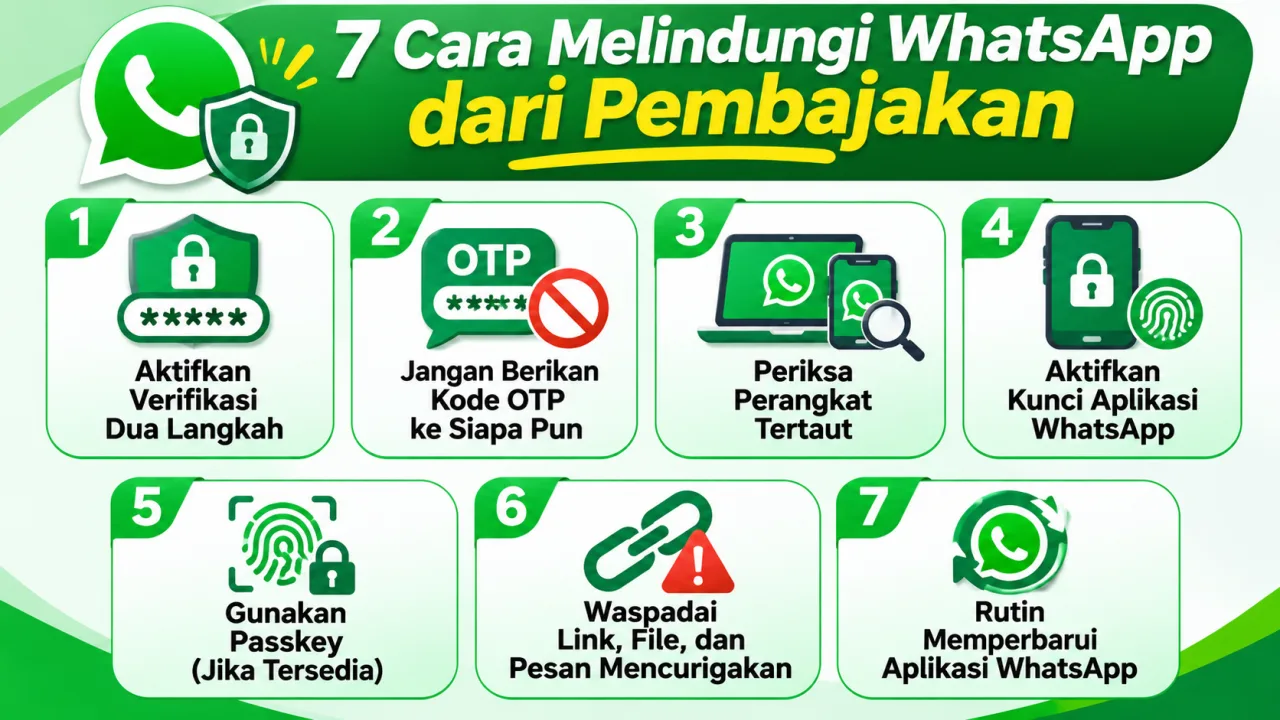
1. Enable WhatsApp Two-Step Verification
One of the most important ways to protect an account is to enable the Two-Step Verification feature. This feature provides an additional layer of security when a phone number is re-registered on WhatsApp.
By enabling it, it is not enough for someone else to simply know the SMS verification code. They must also pass additional checks requested by WhatsApp.
Here is how to enable it:
- Open the WhatsApp app on your phone.
- Go to the Settings menu.
- Select Account.
- Tap Two-step verification.
- Select Enable if available.
- Follow the instructions to create a PIN or security password.
- Add a recovery email address if requested or available.
Use a PIN or password that is not easily guessed. Avoid using birth dates, sequential numbers, or personal information that is easily known by others.
2. Never Share OTP Codes with Anyone
An OTP code or verification code is important information to access a WhatsApp account. This code is usually sent via SMS or another verification method when someone tries to register a phone number.
Hijackers often use various excuses to ask for the code. For example, pretending to be a friend who sent the code by mistake, a WhatsApp officer, a prize organizer, or a party offering certain assistance.
Keep in mind, never give a WhatsApp verification code to anyone, including people claiming to be official officers. Enter the code only on the official WhatsApp app when you yourself are performing the registration process.
If you receive a verification code even though you are not trying to log into your account, do not panic and do not share it. This could mean someone is trying to register your phone number.
3. Check Devices Connected to WhatsApp
WhatsApp provides the Linked Devices feature to access accounts via computers and other devices. This feature is useful, but users need to check the list of connected devices periodically.
If there is an unknown device, immediately log that device out of the account.
Here are the steps to check it:
- Open WhatsApp on your main phone.
- Tap the three-dot menu on Android or the Settings menu on iPhone.
- Select Linked Devices.
- Check the list of currently connected devices.
- Select the unknown or unused device.
- Tap Log Out.
Do not scan QR codes from unknown sites or computers. QR codes can be used to link devices to a WhatsApp account, so users must ensure the process is done of their own free will.
4. Enable WhatsApp App Lock
In addition to securing the account login process, users also need to protect the WhatsApp app from people who physically hold the phone.
Use the app lock feature if available. On some devices, users can lock WhatsApp using fingerprints, facial recognition, or device security methods.
To set it up, open WhatsApp settings and look for the Privacy menu. If the app lock feature is available, enable it according to the instructions displayed.
Menu names and feature availability may differ between Android and iPhone. Users can also utilize built-in app locking features from their respective phone brands.
5. Use Passkeys If Available
A passkey is an authentication method that allows users to verify using device security systems, such as fingerprints, facial recognition, or screen locks.
This feature can help reduce reliance on verification codes sent via SMS. If the Passkey option is available on a WhatsApp account, users can consider enabling it.
How to check it is by opening WhatsApp, going to Settings, selecting Account, then looking for the Passkey menu. Follow the instructions that appear on the screen to complete the setup.
Make sure the phone has a secure screen lock that is not easily accessed by others.
6. Beware of Suspicious Links, Files, and Messages
Fraud via WhatsApp is not always done by asking for OTP codes directly. Perpetrators can also send fake links resembling official pages, event invitations, social aid information, and prize notifications.
If a link is opened and the user enters personal information on a fake page, that data can potentially be misused.
Here are some things to watch out for:
- Do not randomly open links from unknown numbers.
- Check the site address before entering personal information.
- Do not download APK files from unclear senders.
- Avoid installing apps promising unauthorized WhatsApp access or features.
- Confirm requests for money or sensitive information via direct calls.
- Do not follow instructions to share screens or security codes with strangers.
If you receive a suspicious message from a friend or family member's number, it is best to confirm through another communication channel. There is a possibility the sender's account has been used by someone else.
7. Regularly Update the WhatsApp App
Updating WhatsApp is also part of maintaining account security. App updates can bring security fixes, performance improvements, and the latest protection features.
Android users can check for updates via the Google Play Store, while iPhone users can use the App Store.
Make sure the app is downloaded from official app stores. Avoid using modified WhatsApp versions or apps from unclear websites as they can pose security and privacy risks.
Signs That a WhatsApp Account May Have Been Taken Over
Users need to pay attention to several signs that may indicate suspicious activity on a WhatsApp account, including:
- Receiving a verification code even though no registration is being performed.
- Getting a notification that the number is being registered on another device.
- Finding an unfamiliar device in the Linked Devices menu.
- Contacts claiming to receive messages never sent by the account owner.
- The account suddenly logs out from the main device without a known cause.
These signs do not always prove an account has been hijacked. However, users should immediately check account security and not ignore suspicious notifications.
What to Do If WhatsApp Has Been Hijacked?
If a WhatsApp account has been taken over, immediately recover it via the official app. Do not give verification codes to people offering account recovery services.
Here are the steps that can be taken:
- Open the official WhatsApp app on your phone.
- Re-register the phone number used on that account.
- Enter the six-digit verification code received via SMS or available official methods.
- If prompted for an unknown two-step verification PIN, follow the recovery options provided by WhatsApp.
- Once successfully logged in, check the Linked Devices menu.
- Log out unknown devices.
- Re-enable two-step verification and add a recovery email if available.
- Inform family, friends, and coworkers that the account was temporarily taken over.
Under certain conditions, if the hijacker has enabled a two-step verification PIN unknown to the victim, the recovery process may require a waiting period according to WhatsApp instructions. Do not use third-party services that ask for OTP codes, PINs, or remote access to the phone.
Protect WhatsApp Before It's Too Late
Protecting WhatsApp from hijacking does not have to use additional apps or special devices. Users can start by enabling two-step verification, keeping OTP codes confidential, checking linked devices, and using app locks.
In addition, it is important to always remain vigilant against suspicious links, security code requests, and messages asking for personal information. With these habits, the risk of account takeover can be reduced so that personal and work communication becomes safer.