
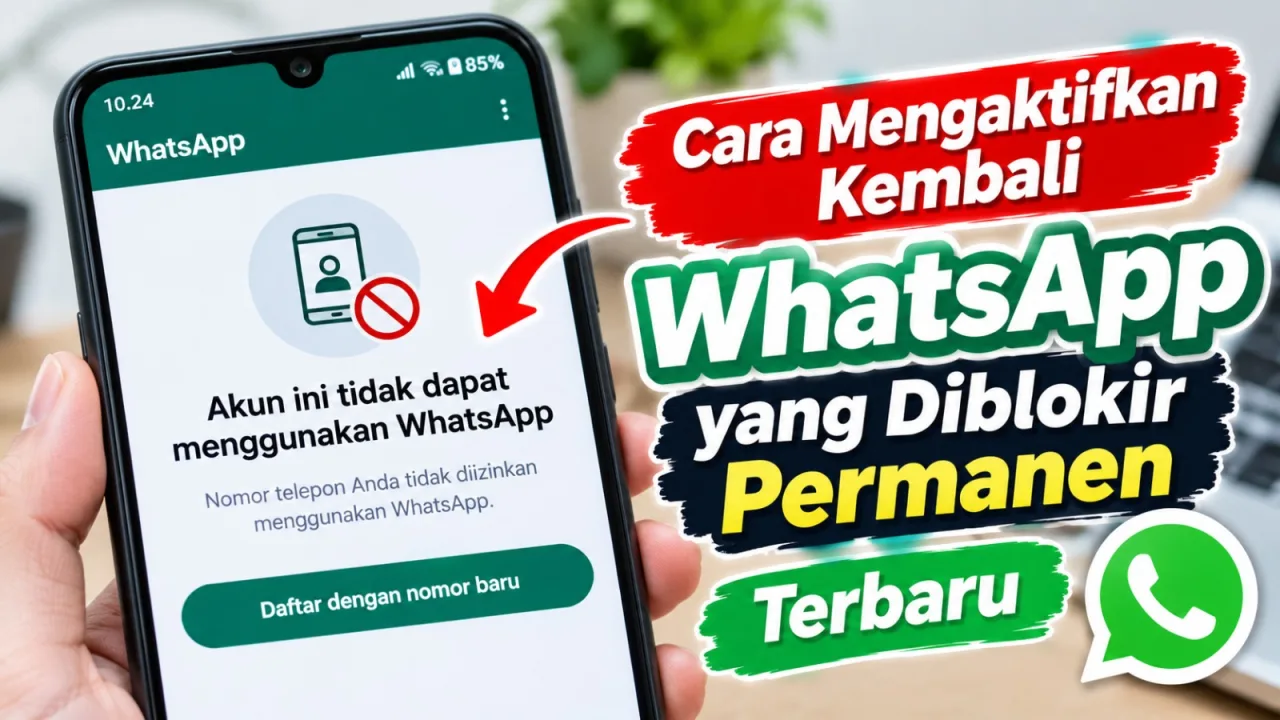
Did your WhatsApp account suddenly stop working with a notification that your phone number is not allowed to use WhatsApp? This situation is certainly alarming, especially if the number is used for work communications, business, or daily needs.
One common issue experienced by users is a permanently banned WhatsApp account. When opening the app, users only see a ban notification and an option to register a new number. In fact, some users have already tried submitting an appeal or a review request, but the results remain rejected.
However, there is an interesting user experience. WhatsApp accounts that have been declared permanently banned and whose appeals failed can actually be used again after trying to log in with the old number about three months later.
So, how do you reactivate a permanently banned WhatsApp account? Can you still use the old number after an appeal is rejected? Here is a complete guide, including the experience of trying to log in again after waiting three months.
Recognizing the Signs of a Permanently Banned WhatsApp
Before trying to recover the account, users need to recognize the notifications that appear when opening WhatsApp. One of the messages that may be displayed is that the account cannot use WhatsApp.
Under these conditions, users typically cannot continue using the account as usual. The app may display information regarding the account status as well as available options for the next steps.
Several things to note include:
- A notification appears stating that the account cannot use WhatsApp.
- The phone number cannot be used to access the account as usual.
- Information regarding the account ban status is present.
- Users get the option to submit a review or register a new number, depending on the app display.
Please note that a single checkmark message, inability to make calls, or inability to change profile pictures is not definitive proof that an account has been permanently banned. Be sure to first read the official notification that appears in the app.
Causes of Permanently Banned WhatsApp Accounts
WhatsApp has terms of service that must be obeyed by all its users. If an account is detected performing activities considered to be in violation of the rules, WhatsApp can impose restrictions up to a ban.
1. Using Modified WhatsApp Applications
The use of unofficial applications such as GB WhatsApp, WhatsApp Plus, FM WhatsApp, and other modified apps can cause accounts to experience issues.
These applications are not official versions supported by WhatsApp. Besides posing risks to data security, their use also violates the terms of service.
2. Sending Spam Messages
Sending large amounts of messages to unfamiliar people or individuals who never requested such information can be considered spam activity.
Repeatedly sending promotions, especially to recipients who have not given consent, can increase the risk of an account being reported or restricted.
3. Using Automated Messaging Applications
The use of unauthorized bots, supplementary apps, or automated systems to send mass messages also has the potential to violate WhatsApp terms.
For business owners, it is best to use official WhatsApp Business services in accordance with applicable policies.
4. Receiving Reports from Other Users
Accounts that are frequently reported for sending annoying messages, committing fraud, or abusing the service can draw the attention of WhatsApp's security system.
Therefore, avoid repeatedly contacting people if they have already stated that they do not wish to receive messages.
5. Violating Terms of Service
The dissemination of illegal content, fraud, identity impersonation, harassment, and actions that endanger other users can be reasons for WhatsApp to take action against certain accounts.
How to Reactivate a Permanently Banned WhatsApp
If an account is banned and the user feels that the decision is a mistake, the first step that can be taken is to submit a review request through the official WhatsApp application.

If the image still shows the request review button, this is good news; just click request review and wait 1-12 hours for WhatsApp to be able to log back in with that number.
1. Use the Official WhatsApp Application
Make sure you use the official WhatsApp application downloaded through the Google Play Store, App Store, or the official WhatsApp website.
If you previously used a modified application, stop using it and switch to the official version. Do not use third-party apps that promise to unban automatically.
2. Open WhatsApp and Enter the Old Number
Open the WhatsApp application, then enter the phone number previously used for the account. Make sure the country code for Indonesia (+62) is correct.
Follow the process that appears on the screen. If WhatsApp displays a notification that the account cannot use the service, pay attention to the available options.
3. Submit a Review Request
If the Request a Review option is available, users can use it to voice objections against the ban decision.
Briefly explain the problem politely and truthfully. State that you want your account checked again if you feel the ban happened by mistake.
4. Wait for a Decision from WhatsApp
After the review request is sent, wait for the inspection results. Decisions may be delivered through the application or communication channels used during the process.
If the request is approved, follow the instructions to use the account again. However, if the appeal is rejected, there are still user experiences of trying to use the old number again after passing a certain waiting period.
Permanently Banned WhatsApp Experience Can Become Active Again After 3 Months
Aside from filing appeals, there are user experiences of successfully reusing old WhatsApp numbers after waiting for about three months.
This experience is quite interesting because the account was previously declared permanently banned. In fact, the user had tried filing appeals or review requests, but the results failed and the ban remained in effect.
After waiting for about three months, the user tried logging in again using the same phone number. As a result, the number that previously could not be used was successfully registered again and WhatsApp could be accessed.
1. Wait for About Three Months
If the account has been permanently banned and the appeal request is rejected, one of the steps that can be tried based on that experience is waiting for about three months.
While waiting, continue using the official application and do not try to unban through additional applications or unofficial services.
2. Try Logging In Again with the Old Number
After passing the waiting period of about three months, open official WhatsApp and try to re-register the previously banned phone number.
Make sure the number is still active and you can receive a verification code via SMS or call according to available options.
3. Follow the Registration Process That Appears
If the registration process can proceed, follow all instructions given by the app. Complete number verification and account setup stages according to WhatsApp's instructions.
4. If Still Banned, Do Not Force the Process
If after trying again the account still cannot be used, follow the notifications displayed. Users can reconsider official WhatsApp support channels or use another number if necessary.
Can All Banned WhatsApp Recover After 3 Months?
The experience of successfully logging back in after about three months can serve as additional information for users experiencing similar issues. However, this does not mean that all permanently banned accounts will definitely recover after passing the same amount of time.
WhatsApp does not set an official rule that all permanent bans automatically end after three months. Results may differ according to conditions and account review system decisions.
Thus, users who still want to keep their old numbers can consider trying again after the waiting period. However, recovery success cannot be guaranteed.
Example of a WhatsApp Appeal Message You Can Use
If the account still provides a review request option, you can convey explanations using polite and non-excessive language.
Hello WhatsApp Support Team, I would like to submit a review request regarding the ban on my account with my phone number. I feel that the account may have been banned by mistake. I am willing to follow WhatsApp's Terms of Service and use the official app according to applicable rules. Please re-examine my account. Thank you.
Adjust the message to actual conditions. Do not provide false information or claim not to have committed violations if you have indeed used the service in a way inconsistent with the rules.
How to Contact WhatsApp Support
Users can seek help through the WhatsApp Help Center if they experience obstacles using their account.
Make sure to only use official channels. Avoid parties claiming they can unban by asking for payments, OTP codes, two-step verification PINs, or device access.
Account recovery decisions rest with WhatsApp. There is no guarantee that third parties can reactivate numbers that have been banned.
How to Prevent WhatsApp from Being Banned Again
After the account is successfully used again, it is important to pay attention to usage habits so as not to experience similar problems.
1. Use the Official Version of WhatsApp
Avoid modified applications like GB WhatsApp, WhatsApp Plus, or similar applications that are not officially supported.
2. Avoid Sending Spam Messages
Do not send promotions or repetitive messages to many numbers without recipient consent.
3. Do Not Use Unofficial Bots
Avoid additional applications that carry out automated message sending without permission. Use official services if WhatsApp is used for business needs.
4. Enable Two-Step Verification
Use the two-step verification feature and create a PIN that is not easy to guess. Never share OTP codes or PINs with anyone.
5. Update the App Regularly
Make sure WhatsApp always uses the latest version from official app stores to get security updates and app fixes.
What to Do If the Old Number Still Cannot Be Used?
Read Also WhatsApp Office Address
If the review request is not approved and efforts to log back in after the waiting period also fail, users can consider several of the following options.
1. Use a New Phone Number
If the old number still cannot be used, users can consider registering a new account using another valid phone number under their own control.
2. Inform Important Contacts
If the number is used for business or work, convey the number change to customers, coworkers, family, and important contacts through other communication channels.
3. Check Chat Backups
Check whether you previously backed up conversations via Google Drive or iCloud. Chat history recovery depends on backup availability, phone number, storage account, and WhatsApp technical terms.
4. Use Alternative Communication Apps
Temporarily, communication can be diverted through Telegram, Signal, email, or SMS. Choose services that suit needs and inform important contacts about the new communication channel.
Beware of WhatsApp Unbanning Services
When accounts are banned, some users look for services offering help to unban WhatsApp. However, users need to be careful against offers promising accounts will definitely become active again in a short time.
Do not give OTP codes, two-step verification PINs, email passwords, or remote device access to unknown parties.
Use official WhatsApp help features and avoid paying parties claiming to have special access to remove account bans.
If It Is an Old Number, Do Not Throw It Away Hurriedly
How to reactivate permanently banned WhatsApp can start by using the official application and submitting a review request if the feature is available. However, not all appeals will be approved because the final decision rests with WhatsApp.
For users who have experienced failed appeals, there is an experience that old numbers can still be used again after trying to log in about three months later. This experience can be one of the steps considered before deciding to change numbers.
Even so, the three-month period is not an official rule or guarantee that all accounts will recover. Every user may obtain different results according to account conditions and WhatsApp's decision.
Such is the information regarding how to reactivate permanently banned WhatsApp recently, including the experience of trying to log in again after three months. Hopefully, this is useful for users who still want to use their old WhatsApp numbers.